
Fridge repair is the process of diagnosing and fixing the mechanical or electrical problems that stop a refrigerator from cooling properly. If your refrigerator has started running warm, leaking water, or making unusual noises, you are probably wondering whether it needs a quick fix or a full replacement. Fortunately, most refrigerator problems can be repaired quickly and affordably when handled by an experienced technician. Gold Ridge Appliance provides fast, honest fridge repair throughout Santa Rosa and the surrounding Sonoma County area, and this guide walks through what to expect, what it costs, and how to troubleshoot minor issues before calling for help.
Quick Answer: Fridge repair typically involves inspecting the compressor, condenser coils, door seals, and thermostat to find the failing part, then replacing or repairing it in a single visit. Most repairs cost between $200 and $450 and take one to two hours, which is far less than the cost of a new refrigerator.
What Is Fridge Repair, and Why Does It Matter?
Fridge repair is a specialized service that focuses on restoring a malfunctioning refrigerator to full working order. Because refrigerators run continuously, all day and night, their parts wear down faster than most other kitchen appliances. A technician performing fridge repair typically checks several key components. The compressor, which is the pump that circulates refrigerant and creates cooling, is usually the first part inspected. Next, the condenser coils, located behind or beneath the unit, are checked for dust buildup that can cause overheating. As described in this overview of refrigeration technology, a sealed refrigerant loop moves heat out of the compartment to keep food cold. The evaporator fan, which circulates cold air through the fridge and freezer, is also tested for proper airflow. Finally, the thermostat and defrost system are reviewed, since a faulty sensor can cause a refrigerator to run too warm or too cold. Understanding these basics helps homeowners see why professional fridge repair, rather than guesswork, usually saves money in the long run. As a result, catching a small issue early can prevent a complete breakdown and unnecessary food loss.
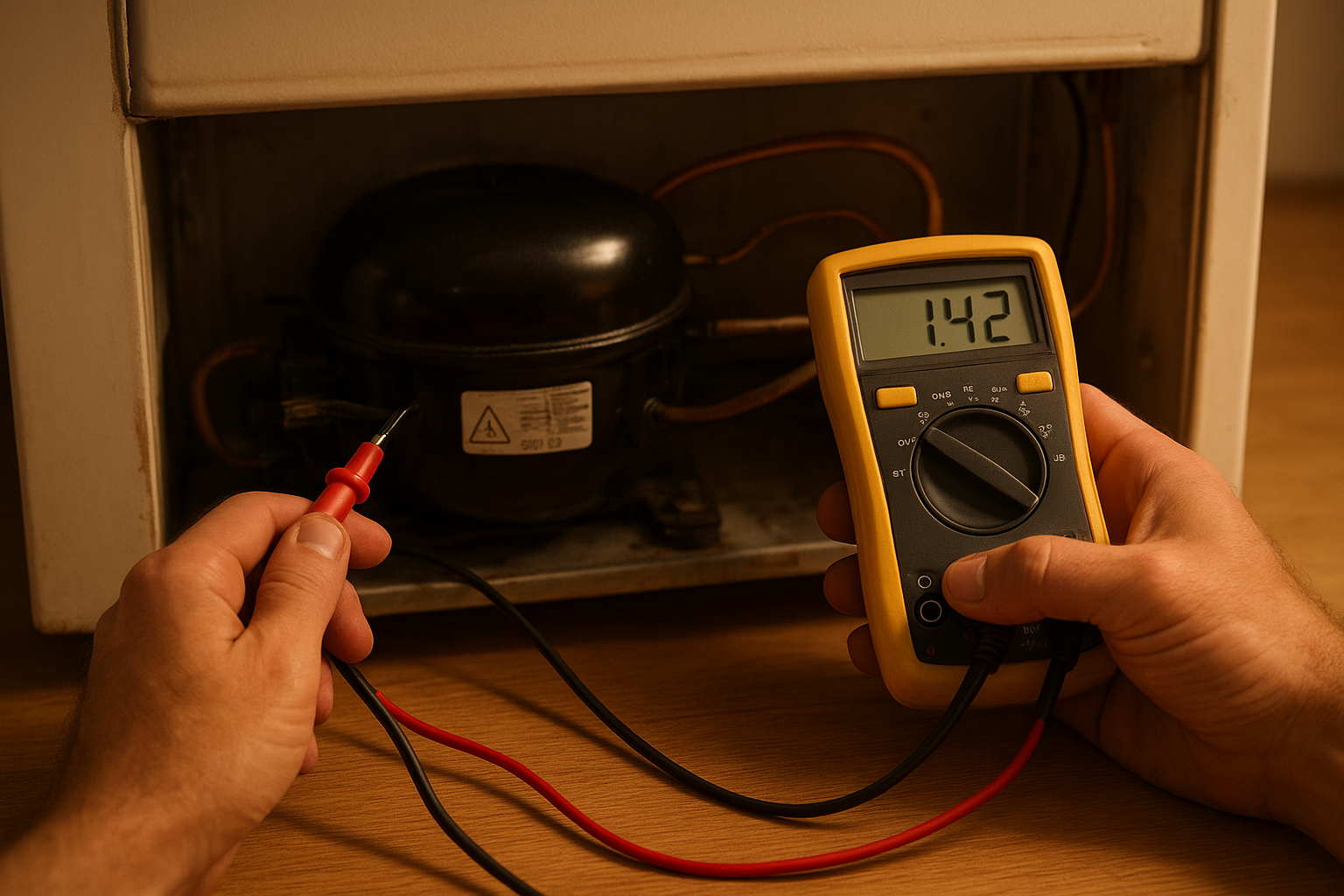
A technician performing fridge repair by testing the compressor and electrical connections.
Common Signs You Need Refrigerator Repair Service
Refrigerator repair service becomes necessary when a unit shows clear warning signs. For example, food spoiling faster than usual is often the first clue that internal temperatures have risen. Similarly, water pooling underneath the fridge can point to a clogged defrost drain or a damaged water line. Homeowners should also watch for these common signs:
- Excessive frost buildup inside the freezer
- Loud humming, clicking, or buzzing noises
- The compressor running constantly without cycling off
- An ice maker that stops producing ice
- Warm spots inside the refrigerator compartment
In contrast to a healthy fridge, which cycles on and off quietly, a struggling unit often runs nonstop while still failing to cool. Because of this, homeowners searching for a refrigerator repair service near them in Sonoma County should act quickly once these symptoms appear, since delaying repair can shorten the appliance’s overall lifespan.
How Much Does Fridge Repair Cost in Santa Rosa?
Fridge repair costs vary depending on the part involved and the severity of the problem. Simple fixes, such as replacing a door seal or a thermostat, typically cost less than a compressor replacement. On average, homeowners in Santa Rosa pay between $150 and $450 for most refrigerator repairs, though complex compressor or sealed-system issues can cost more. The U.S. Department of Energy notes in its refrigerator efficiency guidance that refrigerators account for a meaningful share of a home’s electricity use, which is why a poorly sealed door or dirty coils can noticeably raise utility bills in addition to shortening the appliance’s life. Above all, getting an accurate diagnosis first prevents paying for unnecessary parts. For a detailed breakdown of pricing by issue type, this guide on typical refrigerator repair costs explains what factors affect the final bill.
A well-organized refrigerator interior after a successful repair visit.
Step-by-Step: What Happens During a Refrigerator Repair Visit
A professional refrigerator repair visit generally follows a consistent process. Understanding these steps in advance helps homeowners know what to expect.
- Initial inspection: The technician asks about symptoms, reviews the refrigerator’s history, and inspects the exterior and interior for visible damage or leaks.
- Diagnostic testing: Using a multimeter and other tools, the technician tests the compressor, thermostat, and electrical connections to isolate the exact cause.
- Parts sourcing: If a specific part is needed, the technician checks availability, since many common parts are carried on the truck for same-day fridge repair.
- Repair and replacement: The faulty component, whether a seal, fan, or control board, is removed and replaced, and the system is reassembled carefully.
- Testing and cleanup: Finally, the refrigerator is monitored through a full cooling cycle, and the work area is cleaned before pricing is explained.
How to Troubleshoot Common Refrigerator Problems Before Calling a Technician
Some refrigerator issues can be resolved without professional help. First, check that the unit is receiving power and that the thermostat is not accidentally set too low. Next, pull the fridge away from the wall and vacuum the condenser coils, since dust buildup is a frequent cause of overheating. Similarly, inspect the door gaskets for cracks or debris that might be breaking the seal. Specifically, a dollar-bill test, closing it in the door and checking for resistance, can reveal a weak seal. However, if the compressor is warm to the touch, making unusual noises, or the fridge still will not cool after these checks, it is time to call a professional. For a more complete walkthrough, this guide on troubleshooting common refrigerator problems covers additional checks homeowners can safely perform.
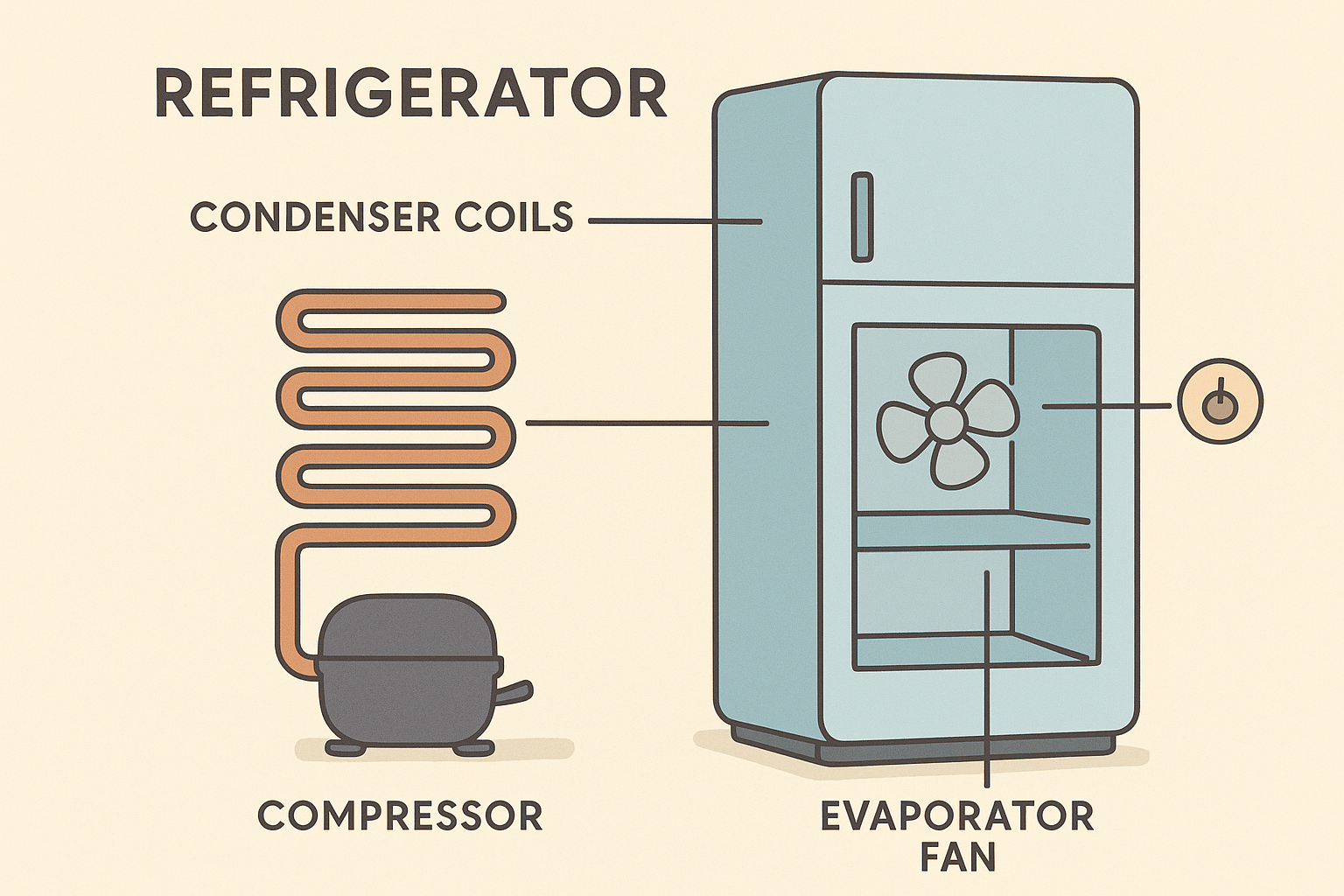
Key refrigerator parts a technician checks during fridge repair.
Choosing a Reliable Appliance Repair Company in Santa Rosa
Selecting the right company matters just as much as fixing the appliance itself. Homeowners should look for technicians who offer transparent pricing, arrive on time, and explain the problem clearly before starting work. Gold Ridge Appliance, serving Santa Rosa and Sonoma County, focuses on fast, affordable, and honest repair for refrigerators, washers, dryers, ovens, and dishwashers. Furthermore, same-day service reduces the inconvenience of a broken fridge sitting empty while food spoils. Homeowners can compare options for fast, honest refrigerator repair in Santa Rosa or explore fast fridge repair options in Santa Rosa to see typical response times. To learn more about scheduling a repair directly, visit Gold Ridge Appliance for current availability and service details.
Frequently Asked Questions About Fridge Repair
What is fridge repair?
Fridge repair is the process of diagnosing and fixing the parts of a refrigerator, such as the compressor, thermostat, or door seal, that prevent it from cooling properly. Most repairs restore full function in a single visit.
How much does fridge repair cost in Santa Rosa?
Fridge repair in Santa Rosa typically costs between $150 and $450, depending on the part needed and the complexity of the issue. Simple fixes like seals or thermostats cost less than compressor replacements.
How long does a typical refrigerator repair take?
Most refrigerator repairs take one to two hours once the technician arrives, assuming the correct part is available. More complex sealed-system repairs can take longer.
Can I repair my refrigerator myself?
Simple tasks, such as cleaning coils or checking door seals, are safe to do yourself. However, repairs involving refrigerant or electrical components should be handled by a licensed technician.
What are the most common causes of refrigerator breakdowns?
Dirty condenser coils, worn door gaskets, failing thermostats, and compressor issues are among the most common causes. Regular cleaning can prevent many of these problems.
Should I repair or replace my refrigerator?
If the refrigerator is under ten years old and the repair costs less than half the price of a new unit, repair is usually the better value. Older units with major compressor failure may be worth replacing.
Do you offer same-day fridge repair in Santa Rosa?
Yes, same-day fridge repair is available for most common issues, since technicians typically carry frequently needed parts on their service trucks.
What brands of refrigerators do technicians typically repair?
Most residential technicians repair all major brands, including Whirlpool, GE, Samsung, LG, and Frigidaire. Confirm brand experience when scheduling service.
Why is my refrigerator making a loud noise?
Loud humming or buzzing often points to a failing compressor or condenser fan. In contrast, clicking sounds can indicate a relay or defrost timer issue.
Why is water leaking from my refrigerator?
Water leaks are usually caused by a clogged defrost drain or a damaged water line. Clearing the drain often resolves the problem without further repair.
How often should a refrigerator be serviced?
Cleaning the condenser coils and checking door seals once or twice a year helps prevent unexpected breakdowns. Otherwise, refrigerators generally do not need scheduled maintenance visits.
Is handling refrigerant safe for a DIY repair?
No, refrigerant handling requires certification under federal regulations enforced by the EPA’s Section 608 program, since improper handling can harm both people and the environment. Always hire a licensed technician for sealed-system repairs.
In the end, fridge repair does not have to be stressful or expensive when handled by the right technician. Whether the issue is a warm refrigerator, a strange noise, or a persistent water leak, catching the problem early and choosing an honest, experienced repair service saves both money and food. Gold Ridge Appliance offers fast, transparent fridge repair throughout Santa Rosa and Sonoma County, helping homeowners get their refrigerators back to full working order without unnecessary costs or delays.
